A clearer way around your work
Studio has a new navigation layout, more consistent work views, and better ways to keep up with your clients.
Your workspaces, without the backtracking. Home and Inbox bring your work across Watson together, while each workspace has its own navigation for the projects and clients you're focused on. Search, the timer and New stay within reach, and you can choose your default workspace page.
An Inbox you can work through. Find the conversation you need by workspace, type or status. Work through updates in a list or focus on one at a time in Triage, keeping, archiving or snoozing them as you go.
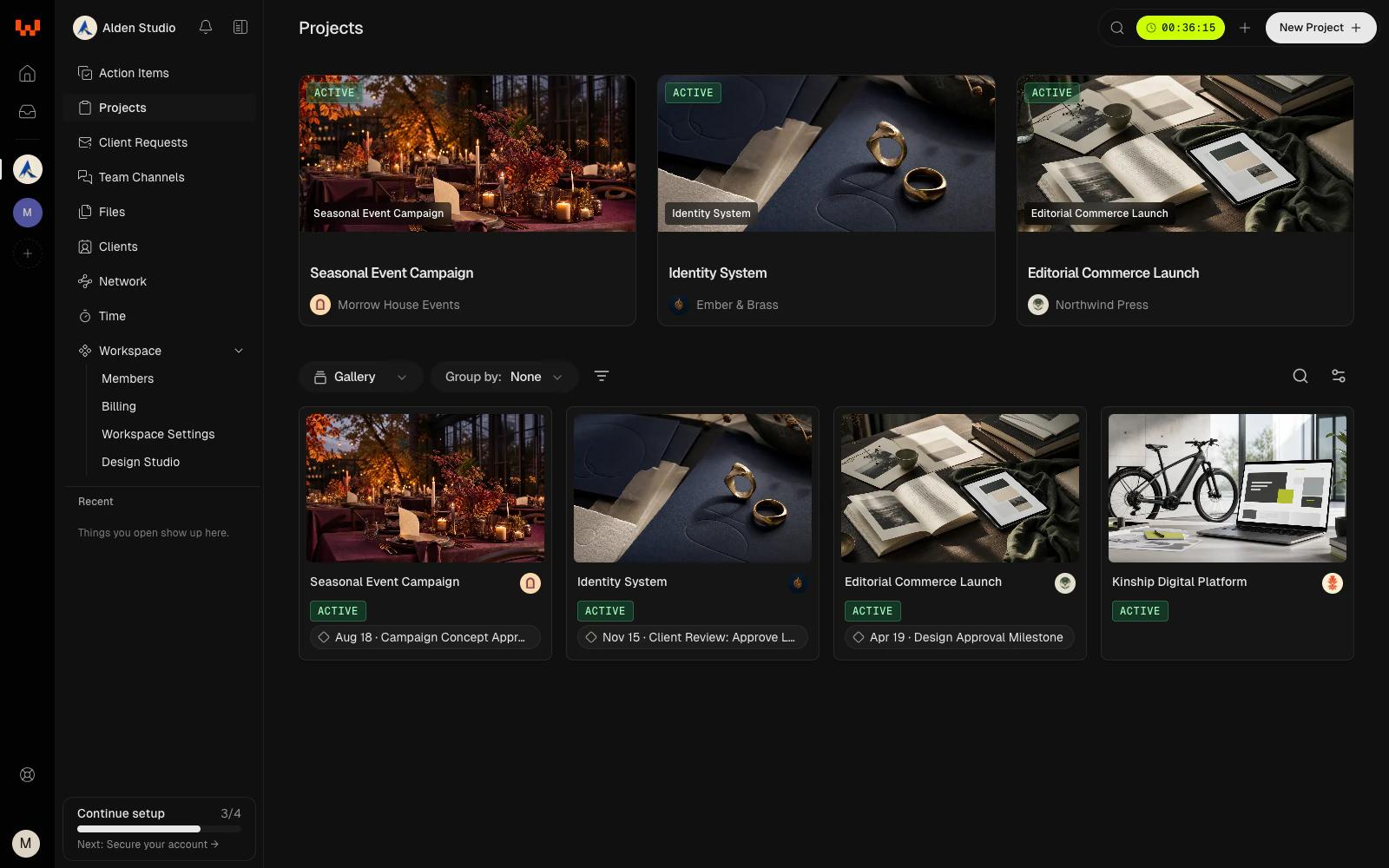
See the whole project portfolio. Get a different perspective on your projects with Table, Board, Gallery and Timeline views. Browse project covers, see stages across a timeline, or bring one client's projects together. Client labels help you recognize whose work you're looking at.
Familiar controls wherever you work. Spend less time relearning each list. Filters, sorting, grouping and layout controls follow the same pattern across your work, so you can organize the details around the job you're doing.
Keep up with client responses, on your terms. Hear back when clients respond to approval requests, and choose whether message notifications cover mentions or all messages you can access. Get email updates immediately or in a daily or weekly digest, or turn off categories you don't need.
Review the attachment without losing the conversation. Visual previews make images, videos and PDFs easier to recognize in a discussion. Look closer and move between attachments while keeping the conversation in context.
Start planning before every date is settled. Begin a project without a deadline and build the plan as the work takes shape. When a change would move work that already has dates, you can review it first and decide whether to apply it or keep the current schedule.
We've also improved the everyday details:
- Track time for work that doesn't belong to a project.
- Move eligible projects between clients as the work changes.
- Keep mentions intact when editing text.
- Made Board and Timeline views easier to use with a keyboard and screen reader.
Plus lots of small fixes and polish.
Join us for Launch Week for live demos and a closer look at what's next.